Original: $11.01
-70%$11.01
$3.30The Story
Getting touchy performance with your screen's touch screen?
Resistive touch screens are incredibly popular as overlays to TFT and LCD displays. If you want to connect one to a computer you need something to handle the analog to digital conversion. Most converters we've found are not very easy to use, and are 'fixed' - making them difficult to calibrate. The AR1100 is a nice chip that solves this problem by acting as a touch->USB converter and also comes with calibration software. The calibration software is Windows only, but once you've calibrated you can use the screen on any OS. The AR1100 shows up as a regular Mouse or Digitizer HID device so no drivers are required. We've tested it sucessfully on Mac, Windows, and Debian Linux (Raspbian on a Raspberry Pi). Other Linux distributions may or may not work, but if you're running Linux you're probably used to that.
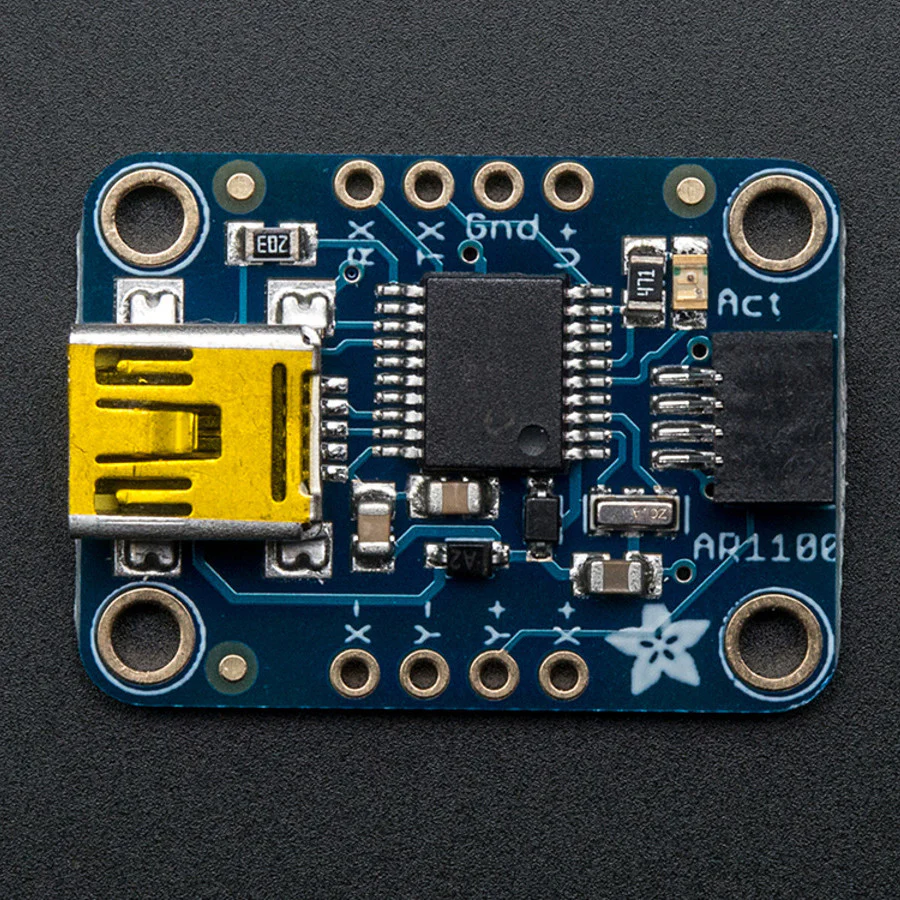
This breakout board features the AR1100, which has both USB and UART interfaces available. 99% of the time, you'll want to use the USB interface but there is some functionality for getting TTL UART data out (see the datasheet for details) There is also a red LED that lights up to indicate when a touch has been detected.
For the screens that have 1mm pitch FPC cables, you can plug the cable right into the connector. The majority of medium/large touchscreens have that kind of connector. If you have another kind of touch screen, the four X/Y contacts are available on 0.1" pitch breakouts so you can hand-solder or wire them. We set this breakout up for 4-wire sensing only.
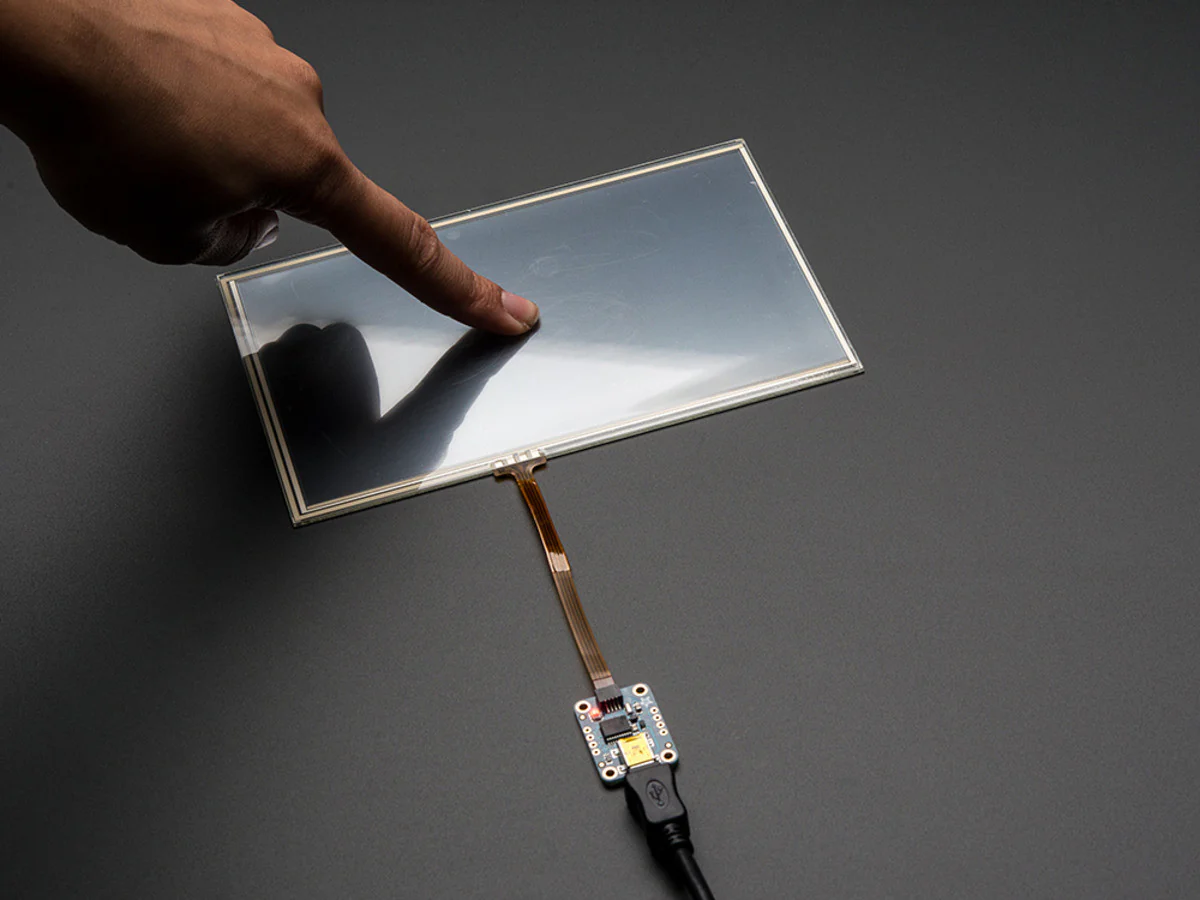
You can pretty much just plug and play to get started, for more details including calibration software, check out the AR1100 page. Plug any 1mm-pitch 4-wire resistive touchscreen to the on-board FPC connector, when you plug into a computer's USB port you should see a new device and touching the screen will cause the mouse cursor to move around.
Details & Craftsmanship
Every detail has been carefully considered to bring you the perfect product.
Details & Craftsmanship
Every detail has been carefully considered to bring you the perfect product.
Description
Getting touchy performance with your screen's touch screen?
Resistive touch screens are incredibly popular as overlays to TFT and LCD displays. If you want to connect one to a computer you need something to handle the analog to digital conversion. Most converters we've found are not very easy to use, and are 'fixed' - making them difficult to calibrate. The AR1100 is a nice chip that solves this problem by acting as a touch->USB converter and also comes with calibration software. The calibration software is Windows only, but once you've calibrated you can use the screen on any OS. The AR1100 shows up as a regular Mouse or Digitizer HID device so no drivers are required. We've tested it sucessfully on Mac, Windows, and Debian Linux (Raspbian on a Raspberry Pi). Other Linux distributions may or may not work, but if you're running Linux you're probably used to that.
This breakout board features the AR1100, which has both USB and UART interfaces available. 99% of the time, you'll want to use the USB interface but there is some functionality for getting TTL UART data out (see the datasheet for details) There is also a red LED that lights up to indicate when a touch has been detected.
For the screens that have 1mm pitch FPC cables, you can plug the cable right into the connector. The majority of medium/large touchscreens have that kind of connector. If you have another kind of touch screen, the four X/Y contacts are available on 0.1" pitch breakouts so you can hand-solder or wire them. We set this breakout up for 4-wire sensing only.
You can pretty much just plug and play to get started, for more details including calibration software, check out the AR1100 page. Plug any 1mm-pitch 4-wire resistive touchscreen to the on-board FPC connector, when you plug into a computer's USB port you should see a new device and touching the screen will cause the mouse cursor to move around.